Overview
OpenFamHub turns a spare tablet — or a cheap thin client wired to a touchscreen — into a wall-mounted family command center: a shared color-coded calendar, chores with a real points-and-rewards economy, meal planning with a grocery list, a budget snapshot, and a family journal. It pulls from tools you probably already use (Todoist, Google/iCloud calendars via iCal, Mealie, Monarch Money) instead of asking your family to adopt a new app. No monthly fee, no cloud account, no vendor lock-in — your data lives on your own hardware.
Why it exists
Existing options were either a paid subscription (Skylight, DAKboard), tied to one ecosystem, or — like MagicMirror² — a passive display that can't do the application behavior a real family command center needs: per-person point balances, reward redemption that persists, tap-to-complete that writes back to the source of truth. OpenFamHub is a standalone app built around that gap.
How it fits together
The whole thing is a small, legible stack — worth understanding before you build it, because the rest of these docs follow it top to bottom:
| Piece | What it is |
|---|---|
| Frontend | A lean Svelte SPA, designed portrait for a wall touchscreen, served as static files |
| Backend | A small Express server (server/) that aggregates your data sources behind a versioned REST API |
| Provider registry | Each data source (Todoist, iCal, Mealie, weather, budget, photos) sits behind a small registry, so swapping a backend is one new file, not a fork |
| Economy database | SQLite on a named Docker volume — points, balances, and redemption history, the one genuinely stateful, irreplaceable piece |
Companion PWA (/m) | An installable phone app for checking/completing chores and writing journal entries — the one screen with actual typing, deliberately kept off the wall |
Everything runs from one docker compose up -d. All credentials live server-side in .env; the browser never sees them.
Self-hosted, privacy-first
- All credentials (Todoist token, Mealie token, calendar URLs) live server-side in
.env— the browser never sees them. - Family members are configured in a single
config/members.jsonyou control — any number of people, any names. - Every screen falls back to bundled demo data when its source isn't configured, so the app is fully browsable out of the box before you wire up a single account.
- The companion PWA is meant to be reached over your own network or a mesh VPN (e.g. Tailscale) — never exposed to the public internet.
The screens
All screenshots below are from the bundled example roster (config/members.example.json) — copy it to config/members.json and edit it to match your own family.
Home dashboard
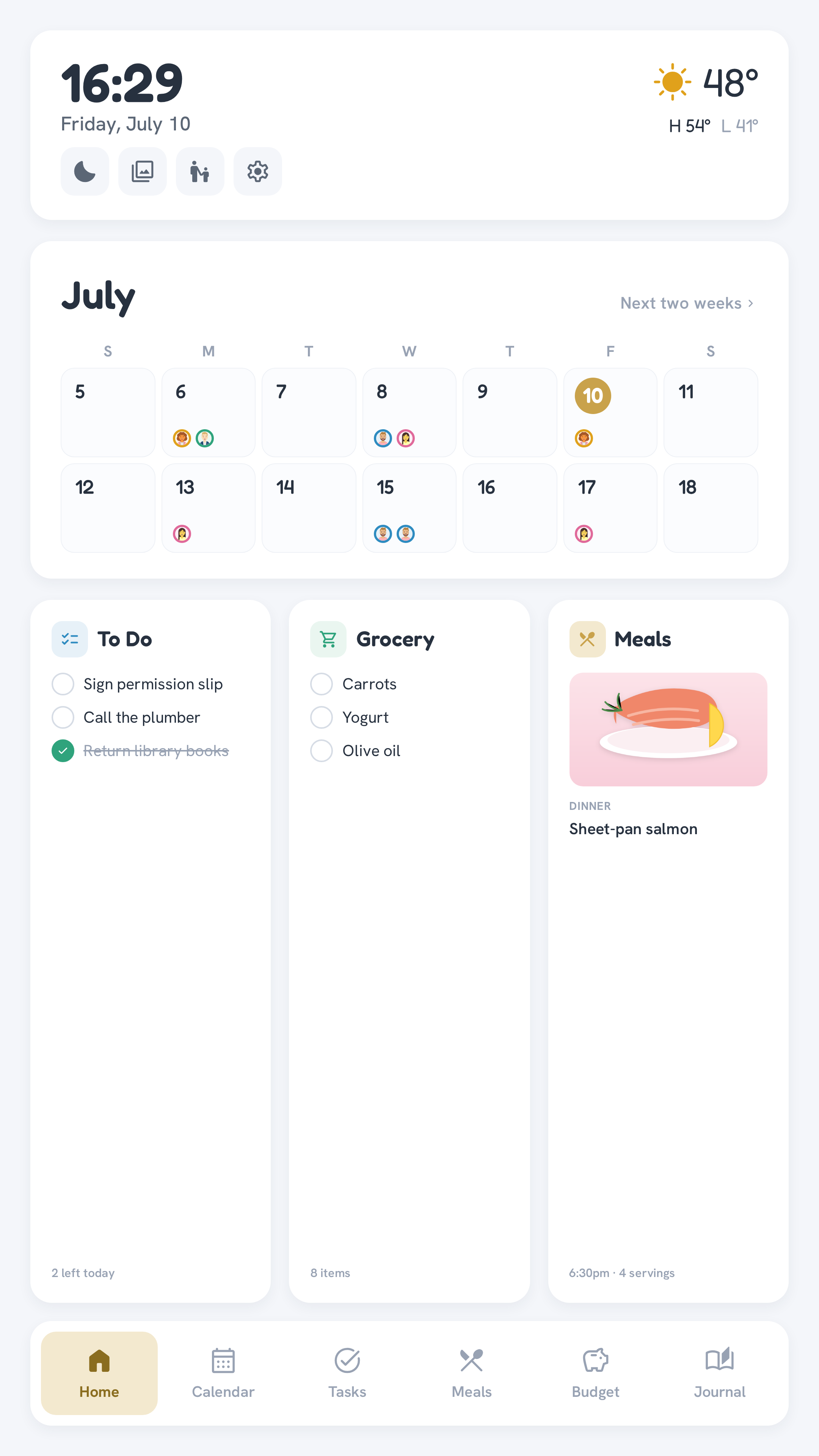
Config-defined cards: month calendar, To Do, Grocery, and today's Meals, plus current weather.
Routine · Chore
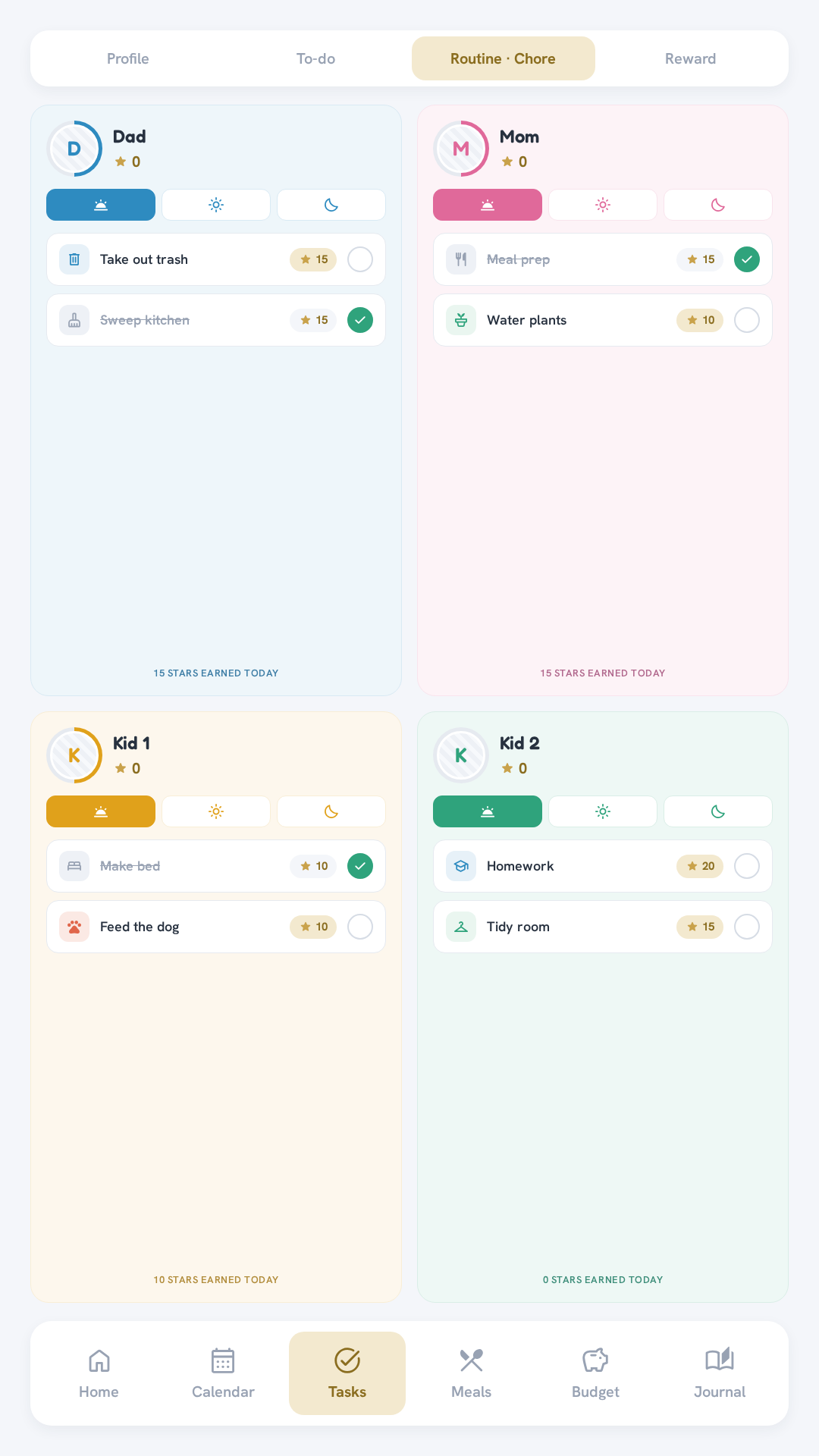
One card per family member — tap a task to complete it and award a point.
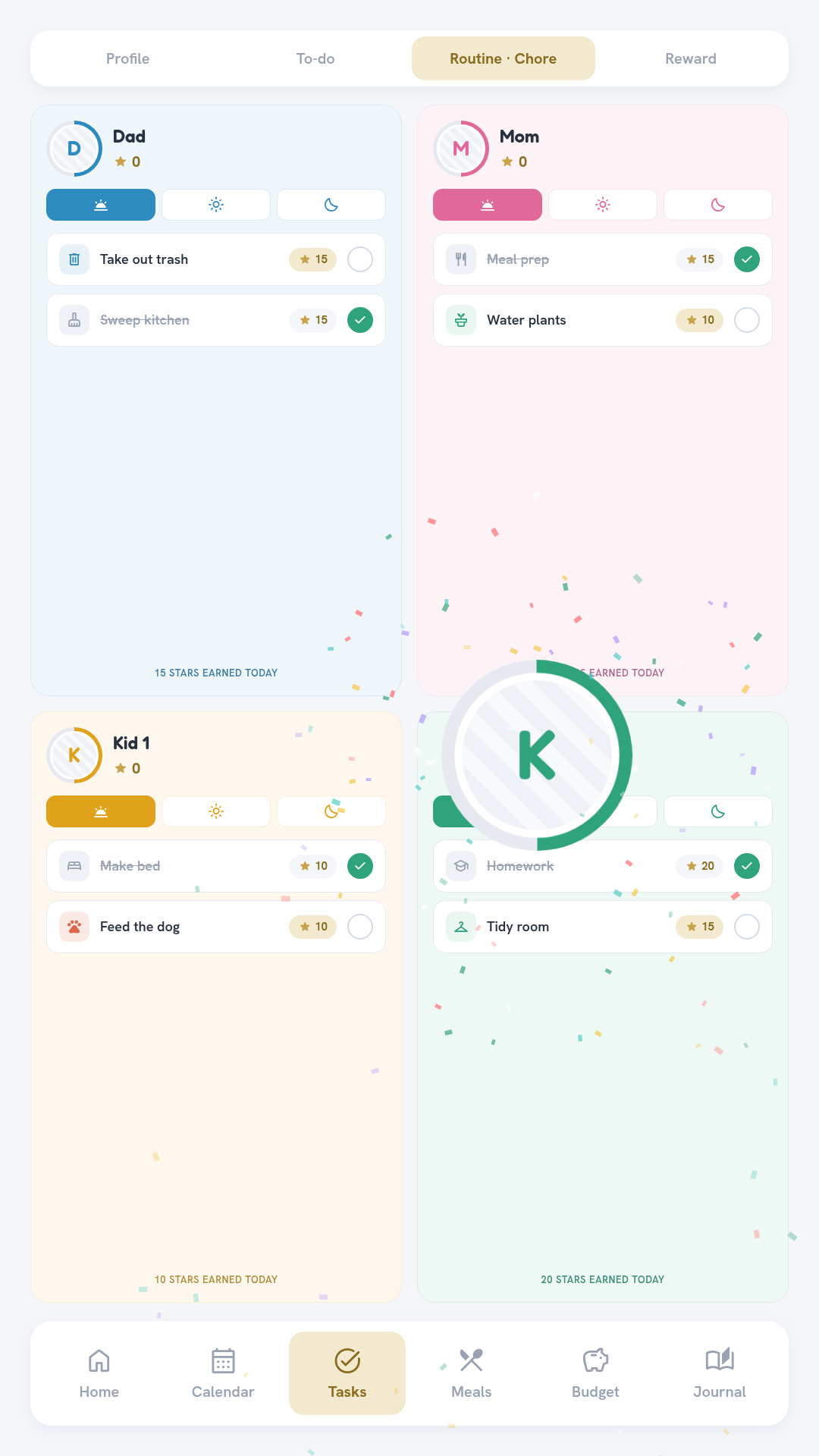
When a member flagged as a kid ("kid": true) finishes a chore, they get a celebration — the avatar pops big, a confetti burst fountains up, the star count ticks, and a chime plays. Grown-ups just get the plain green check. Toggle it in Settings.
Rewards
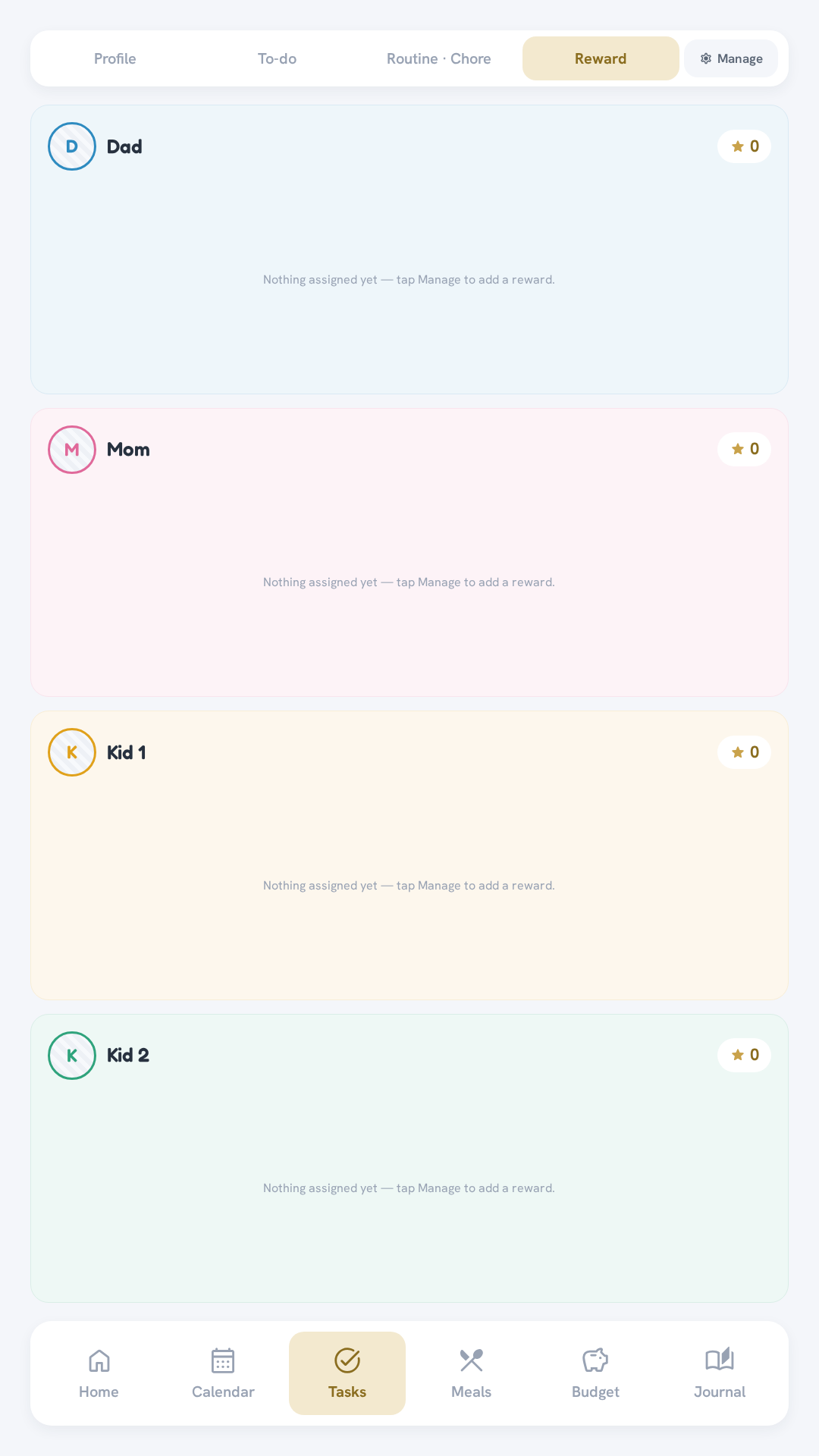
Redeeming a reward checks the member's balance, deducts the cost, and logs it — disabled automatically when the balance is too low.
Budget
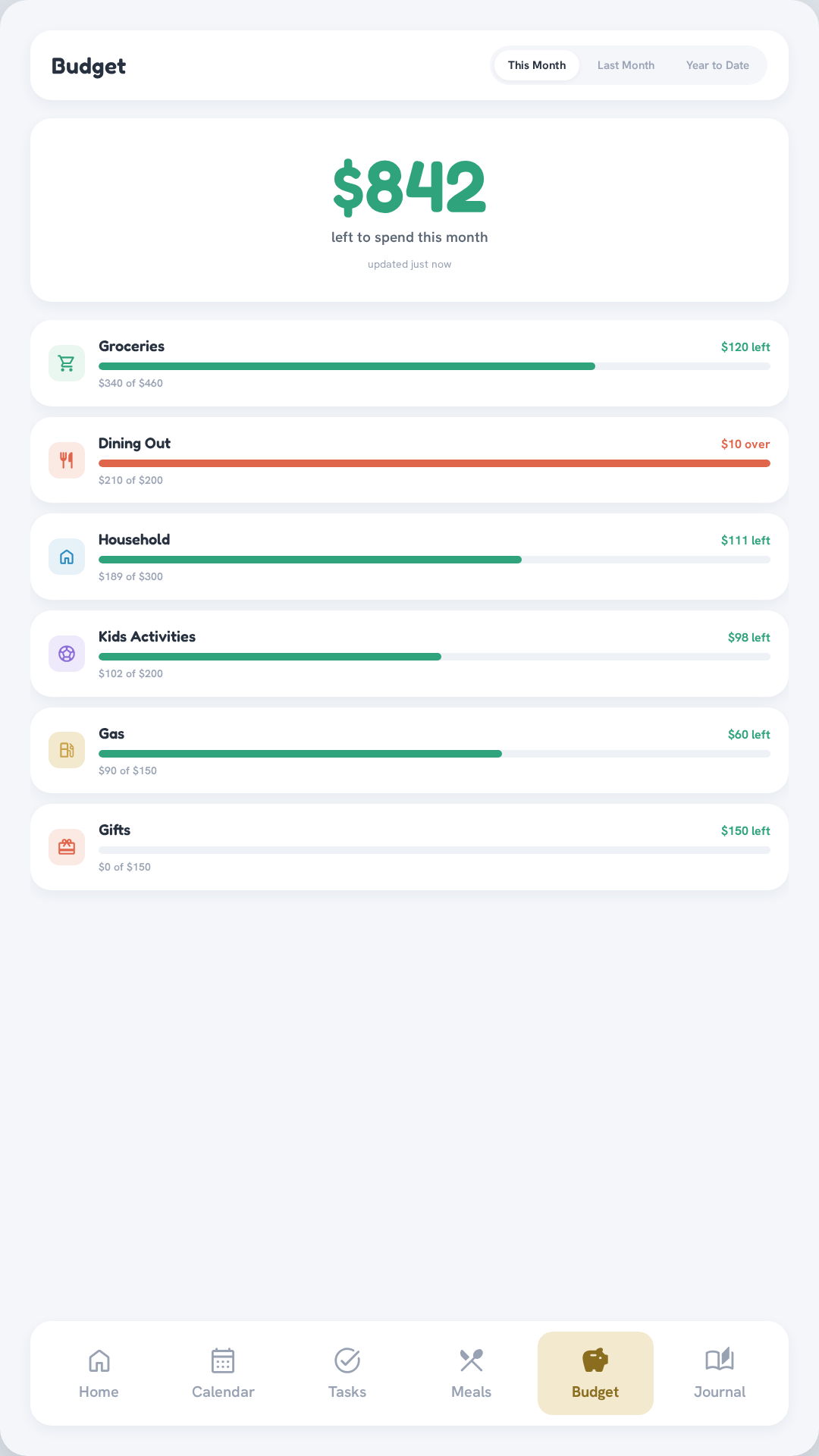
A true-net "safe to spend" hero number, category rows sorted by spend, and a This Month / Last Month / Year to Date switcher.
Journal
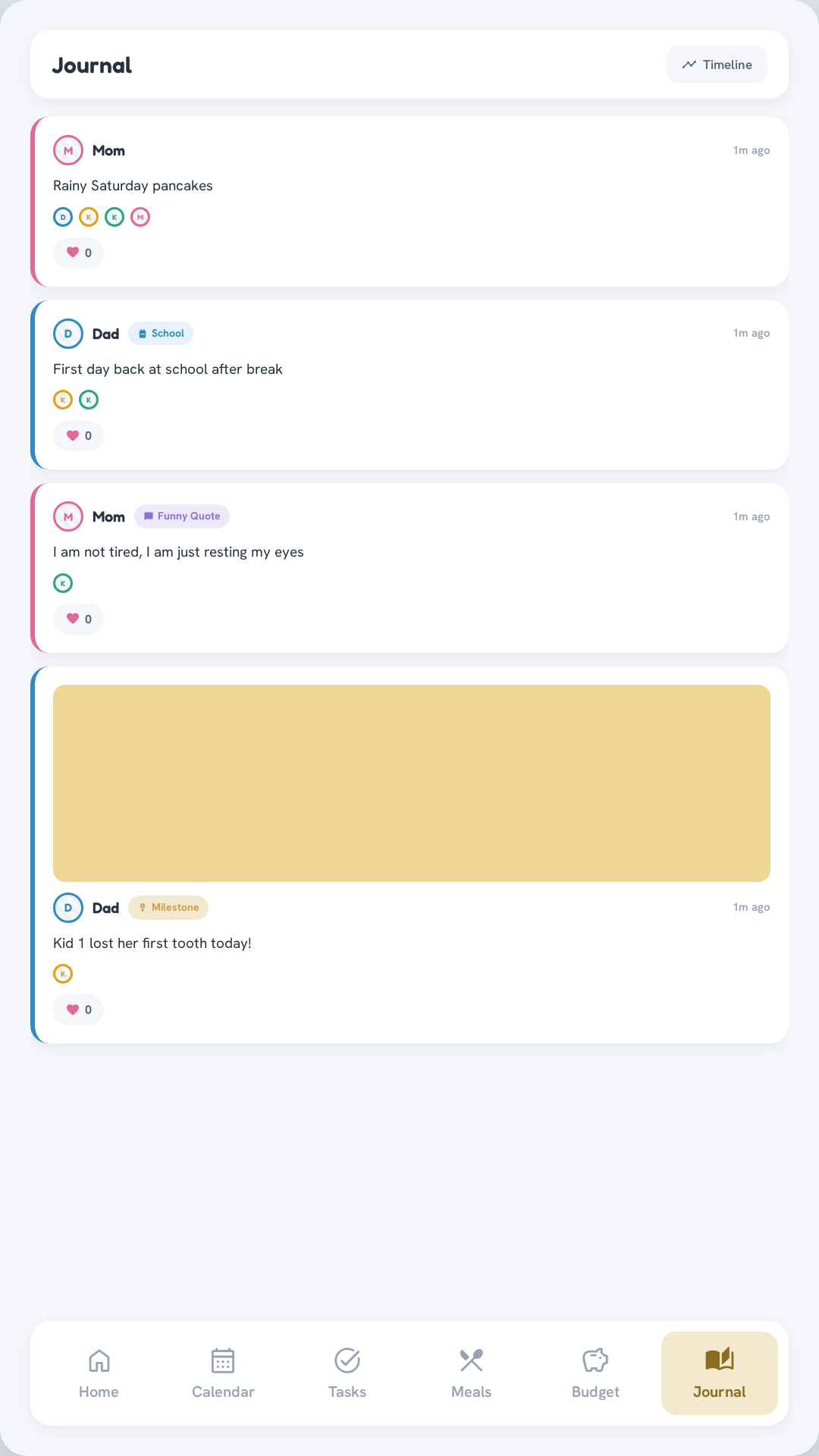
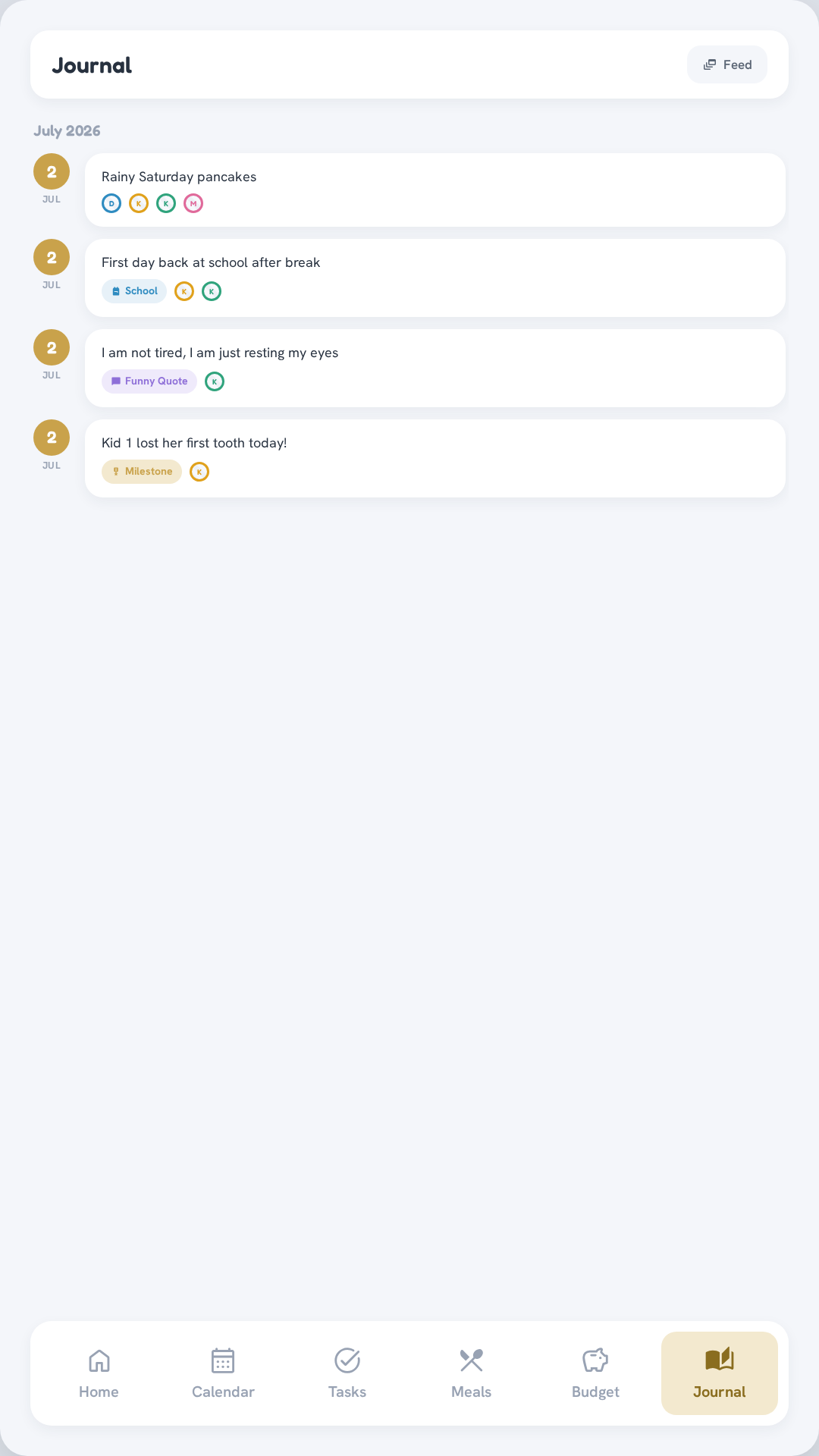
Family moments, tagged and optionally photographed, written from the phone — shown here in Feed view (newest first) and Timeline view (grouped by month, with date markers).
Where to go next
The rest of the docs are ordered as the steps you'd take to build this yourself:
- Hardware — the thin client, touchscreen, and wall mount
- Install — clone it and bring up the stack with Docker
- First-time setup — your roster and integrations
- Networking — reach it safely from phones over Tailscale
- Integrations — wire up each data source
- Kiosk setup — turn the thin client into an always-on wall display
Built with Claude Code
This project's implementation was built with Claude Code — requirements, architecture decisions, and design direction were human-directed by @alitarraf; Claude Code did the implementation, refactoring, and testing.