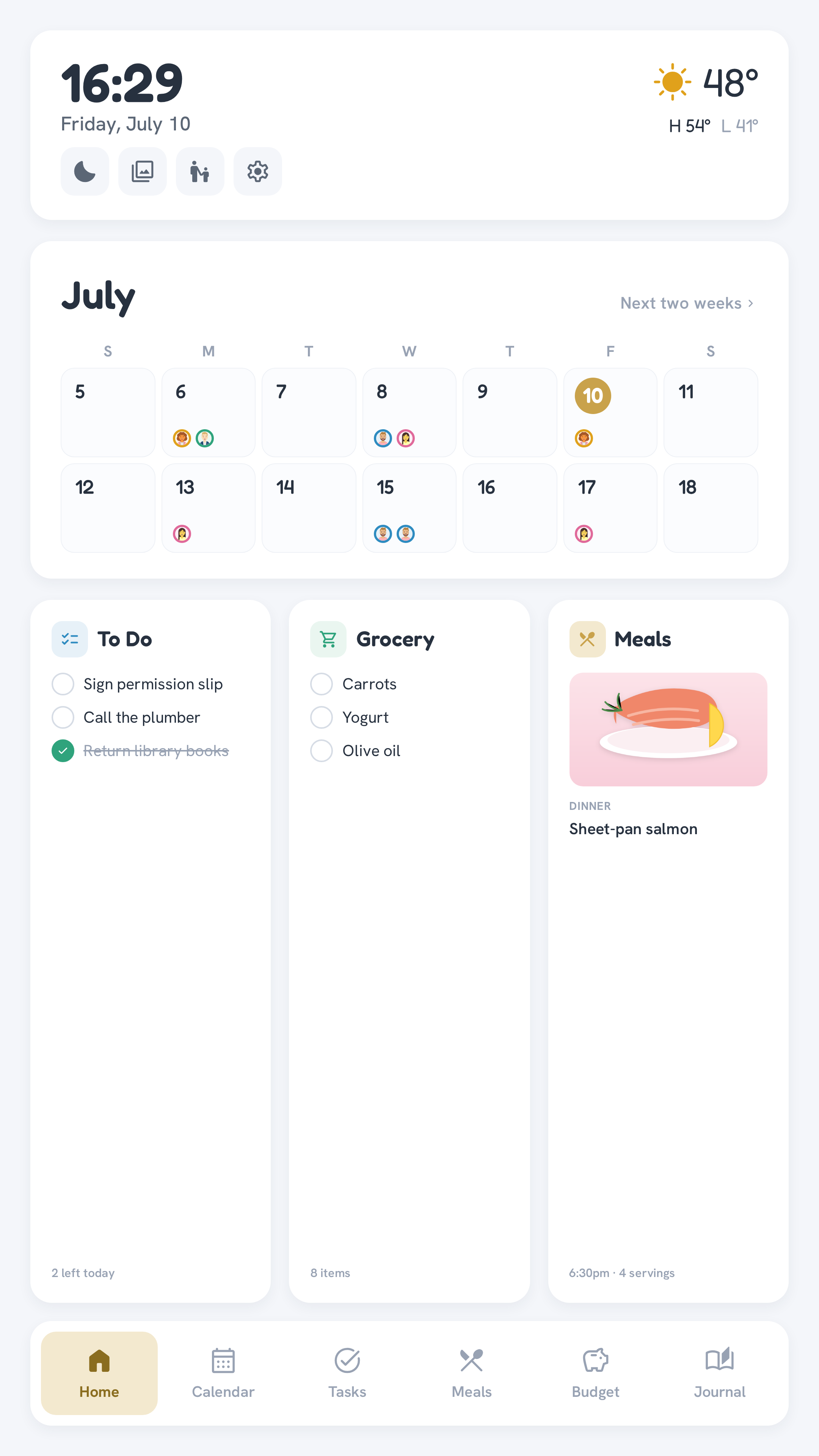
Overview
OpenFamHub is built around a bottom tab bar with six apps, plus a companion mobile PWA:
| Screen | What it shows |
|---|---|
| Home | Live clock, current weather + today's high/low, two-week calendar strip, To Do / Grocery / Meals summary cards |
| Calendar | Day / Week / Month views, real events from your configured iCal feed(s) |
| Tasks → Profile | Per-member points balance + today's chore-completion ring |
| Tasks → To-do | Per-member to-do columns (Todoist), no points involved |
| Tasks → Routine·Chore | Per-member chore checklist — tap to complete, awards a point (persisted) |
| Tasks → Reward | Per-member "working toward" reward cards + redeem; Manage assigns catalog rewards to people |
| Meals → Meals | Weekly meal-plan grid; tap a thumbnail to open that recipe |
| Meals → Recipes | Browse the recipe library; add ingredients to groceries or assign to a meal-plan slot |
| Meals → Grocery | The shared shopping list, tap to check off |
| Budget | "Safe to spend" hero number + per-category rows; This Month / Last Month / Year to Date |
| Journal → Feed | Reverse-chronological family moments, newest first — tap ❤ to react |
| Journal → Timeline | The same entries grouped by month with date markers, plus an "on this day" callback |
| Babysitter mode | A one-tap wall lockdown: emergency card (parent phones, contacts, notes) with everything else sealed off until a parent's PIN — see Babysitter mode |
Companion PWA (/m) | Phone-friendly: pick your name, enter your PIN, view + complete your own chores, and write journal entries |
Design principles
- Authoring stays off the wall. There's no on-wall "add a chore" or "add an event" form — you add those in Todoist / your calendar app / Mealie, same as you do today. The wall displays and acts (complete a chore, redeem a reward, check off groceries), it doesn't replace the apps you already use to plan. Journal entries and custom rewards are the content native to this app rather than an external tool — and both are authored on the phone, never on the wall, for the same reason: no keyboard on a kiosk.
- The wall stays login-free. It's a trusted physical device — tap your avatar to act on its behalf. Only the phone PWA needs a PIN, since a phone isn't shared.
- Every screen has a fallback. An unconfigured or unreachable data source doesn't break the layout — it falls back to demo data so the app is always browsable.